
If you’re looking to get the most out of your smart home, automating your blinds is one of the best upgrades you can make. By setting up a few simple scenes and schedules, you can keep your home comfortable, protect your furniture from the sun, and never have to worry about manually adjusting your shades again.
Here is how I set up my blinds using the Aqara app to automatically adjust throughout the day.
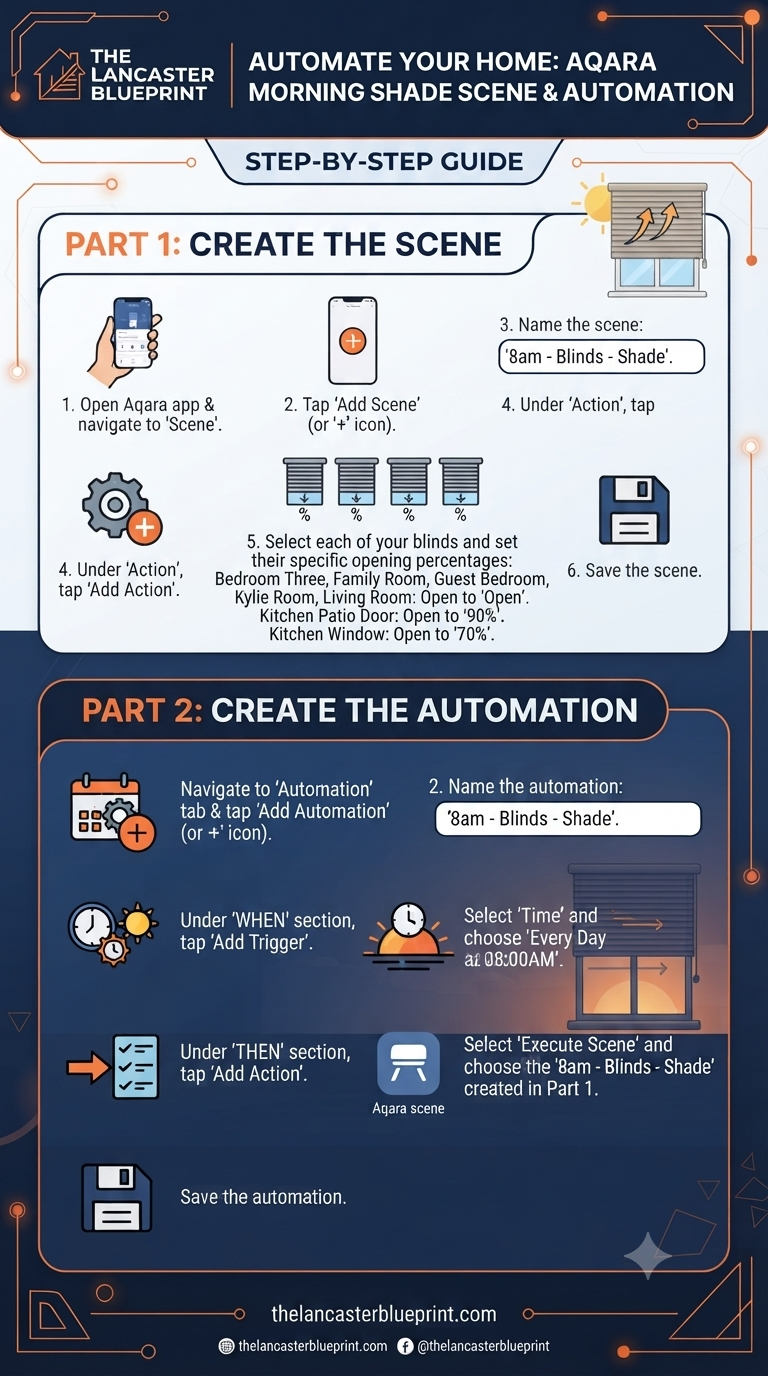
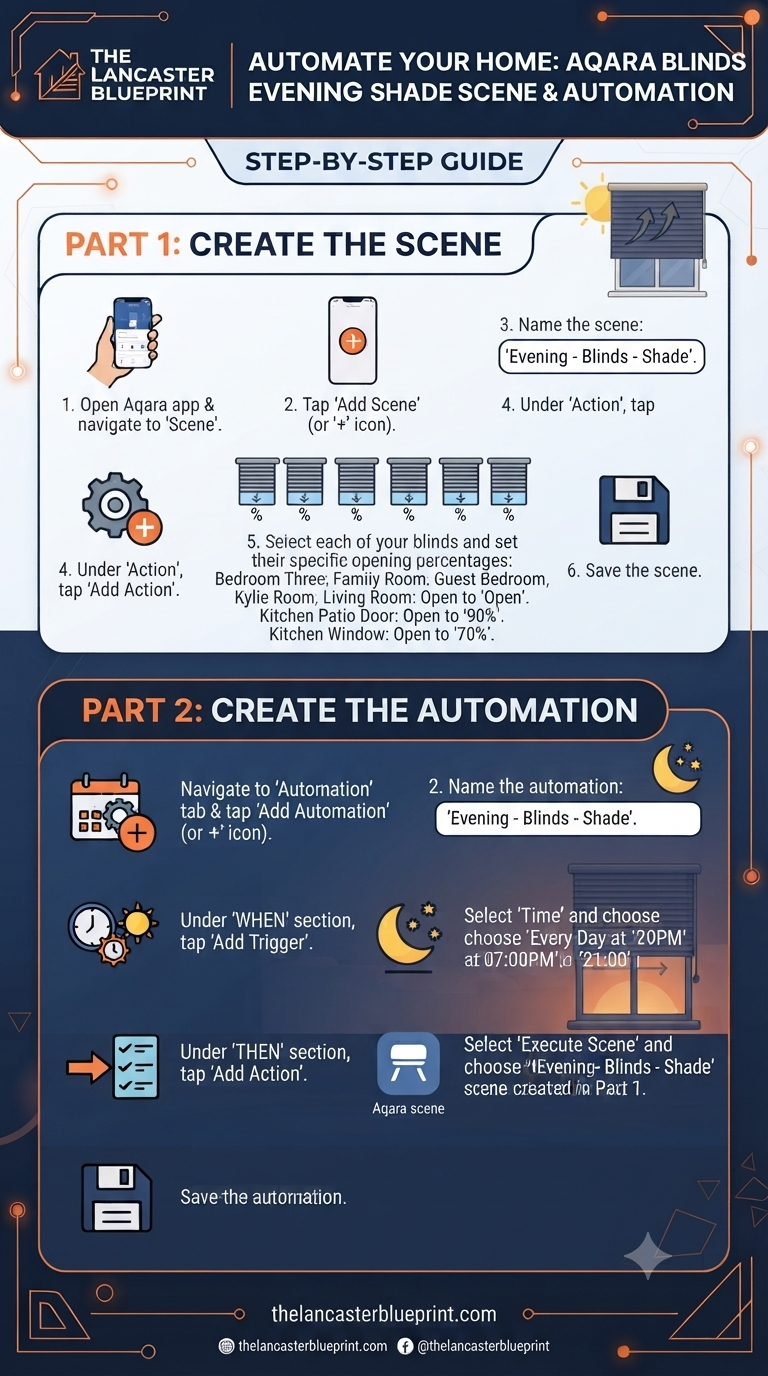
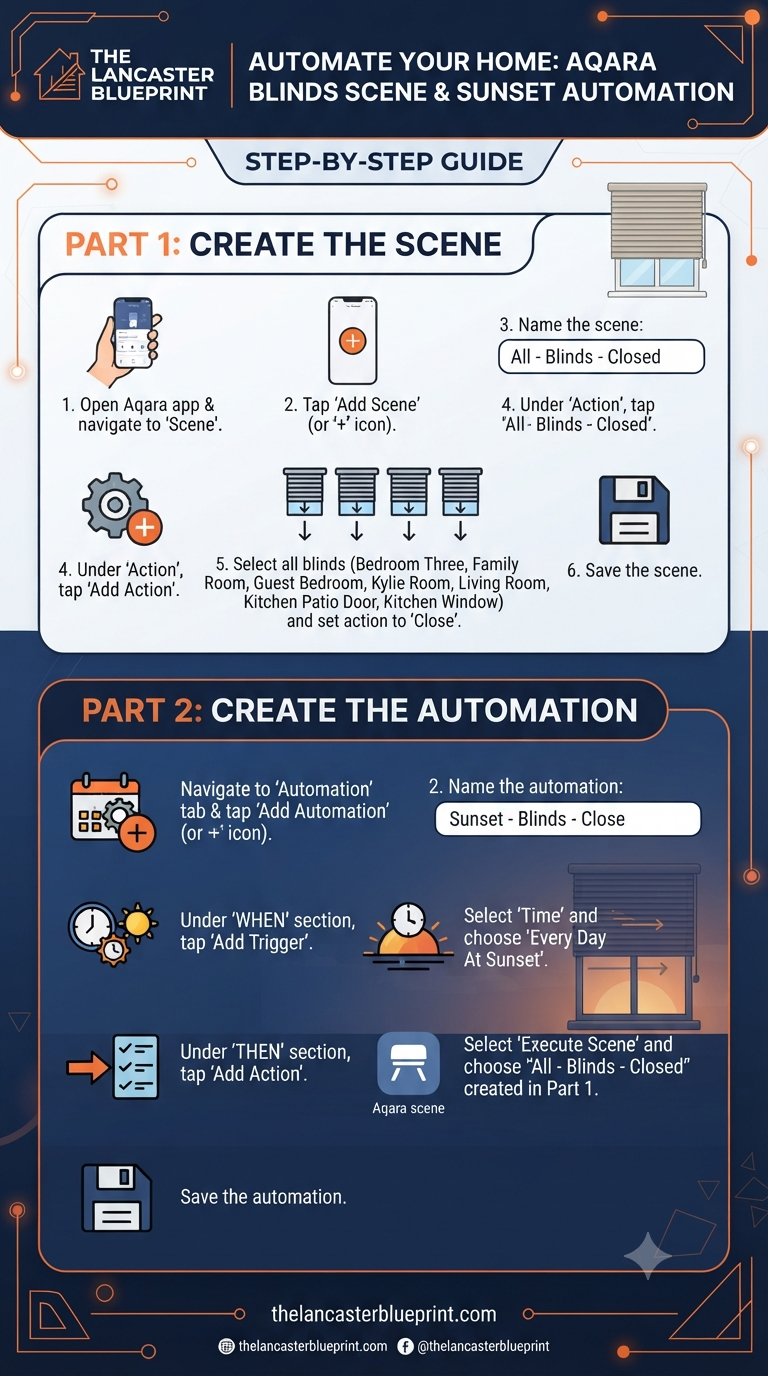
THE THREE ESSENTIAL SCENES
To get started, I created three distinct scenes within the Aqara app to handle the different states I need throughout the day:
- Morning: The sun hits the rear of our house in the morning. To handle this, the bedroom blind is set to 80% closed, while the kitchen and dining area blinds are closed by about 20% to add a little shade while still letting us see outside. All front-facing blinds are left fully open.
- Evening: As the sun moves to the front of the house, the evening scene flips the morning setup. The front blinds are shut to 80% closed, and all the rear blinds are fully opened.
- Night Time: Every single blind in the house is set to closed for complete privacy.
SETTING THE SCHEDULE
Once the scenes were ready, the next step was automating them. I used an app called SunCalc.net to determine when the sun hits different sides of the house. Based on that, I set up the following schedule:
- 8:00 AM: Morning scene activates.
- 4:00 PM: Evening scene activates.
- Sunset: Night Time scene activates (all blinds close).
The 8:00 AM and sunset triggers remain constant throughout the year. The only thing I need to adjust is the 4:00 PM trigger, which I shift slightly forward or backward about once a month as the days get longer or shorter.
MANUAL OVERRIDES AND VOICE CONTROL
The best part of this setup is its flexibility. You can still manually open and close the blinds whenever you want, and when the next scheduled time arrives, they will simply sort themselves back into their predetermined positions.
- Voice Control: If I’m having an early night, I can simply say, “Hey Siri, close all the blinds,” and everything shuts down automatically.
- Smart Switches: I’ve also programmed every light switch with a short automation. Pressing a button on the wall will either open or close the blinds depending on their current state, making it easy for anyone in the house to control them.
You can see the full review of the Aqara roller blind driver following the link in the original setup.